Posts

Showing posts with the label Dart

Dart syntax- Isolates,typedefs,metadata,@

Image
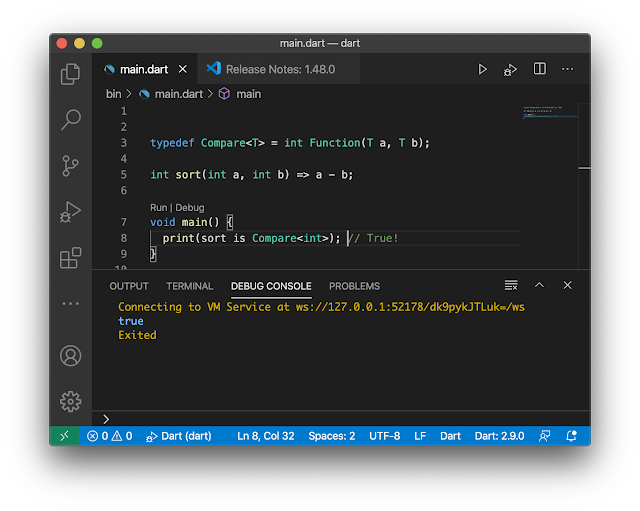
   ☝ called  讓實體能像方法一樣 ☝ Isolates  dart能讓每個isolates有自己的記憶體和單線,解決多項事件同時共享記憶體時容易發生錯誤的問題。 ☝ typedefs  很像填表單一樣,有個單表名稱,內容就是自定義一個制式的程式格式。初始即對應填表單。 ☝metadata @程式注記。可自定義。建立dart ,後導入 import xxx.dart ,@xxx。

Dart syntax - initSate,Build,deactive, Dispose

   ☝ initSate(){ super.initSate   //放置一旦載入statefulwidget後就不需一直更新的物件。 } 如字面的意思in it sate. 此功能好比statefulwidget 裡面的statelesswidget。    Called only once  when the widget is created,只會執行一次,不像build() 一變動就自毀後重建。 ☝Build(BuildContext context) { //放置載入後每次有任何變動就需更新的物件。 }          - Build the widget tree         -A build is triggred every time we use   setState() that re-triggre build(). ☝ deactive() {super.deactive  // 放置當statefulwight自毀換頁前跟著毀的物件。例如:釋放記憶空間。 } ☝Dispose()          - When the widget/state object is removed.

Dart syntax - if else for, forEach,throw, try catch,try on

Image
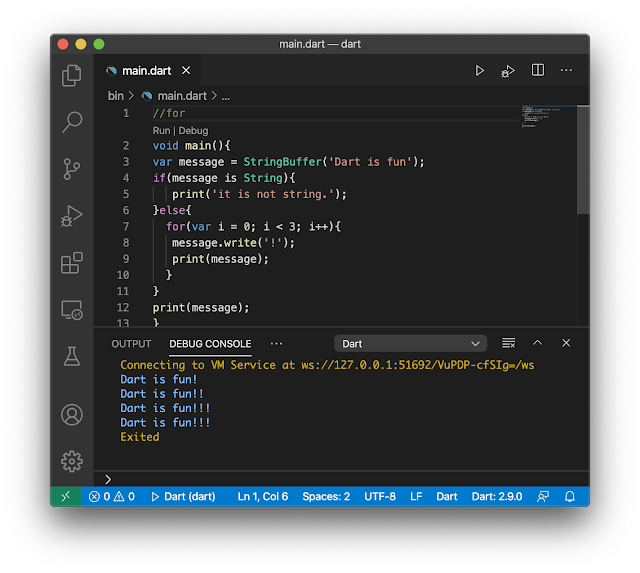
   ☝if  else 可多條件 ☝for 單條件 ☝for ☝forEach ☝forEach = for-in 一一叫出來 👉自訂例外(exception / error)處理 throw & try catch & try on ☝try catch  無指定型別 ☝try on  type  指定型別 ☝try catch  final  final是用於確認某特定的code是否有例外丟出。 ☝try{...}catch(e){...  rethrow };  可看到系統定義的例外訊息。

Dart - setup in VScode

Image
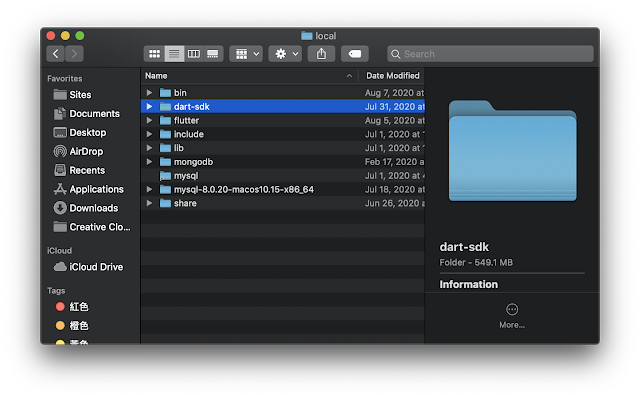
20200809  1. 下載Dart SDK 後解壓 2. 我還是放跟flutter一樣 /usr/local的位置,建置環境變數$PATH 完成! 可以Hello world測試一下 測試結果

Dart - Compress -GZIP vs ZLIB

20201004 import 'dart:convert' ; import 'dart:io' ; void main () { String data = '' ; for (int i = 0 ; i < 100 ; i++) { data = data + 'i love flutter \r\n ' ; } List origin = utf8.encode(data) ; List compress = GZIP.encode(origin) ; List decompress = GZIP.decode(compress) ; String decode = utf8.decode(decompress) ; assert (data == decode) ; print( 'origin size : ${origin. length } bytes' ) ; print( 'GZIP size: ${compress. length } bytes' ) ; print( 'decompress size: ${decompress. length } bytes' ) ; int encodeCompress(zipType) { List compress = zipType.encode(origin) ; int size = compress. length ; return size ; } print( '---- GZIP vs ZLIB -----' ) ; print( 'GZIP size : ${encodeCompress(GZIP)} ' ) ; print( 'ZLIB size : ${encodeCompress(ZLIB)} ' ) ; } Performing hot restart... Syncing files to device iPhone 11 Pro... Restarted application in 87ms. flutter...

Dart - CRUD file in path

20201004 import 'dart:io' ; import 'package:flutter/material.dart' ; import 'package:path_provider/path_provider.dart' ; void main () async { WidgetsFlutterBinding. ensureInitialized () ; await getApplicationDocumentsDirectory().then((Directory dir) { File file = File ( ' ${dir. path } /text.txt' ) ; file.writeAsString( '123' ) ; void read() async { String contents = await file.readAsString() ; print(contents) ; } read() ; }) ; }   [ERROR:flutter/lib/ui/ui_dart_state.cc(157)] Unhandled Exception: FileSystemException: Cannot open file, path = '//test.txt' (OS Error: Read-only file system, errno = 30) FileSystemException: Cannot open file OS Error: Is a directory reading-writing-files

Dart syntax- Future,asyc,await

Image
import 'dart:io' ; void main () { performTasks() ; } void performTasks () async { //i have someone need a wait team1() ; String task2result = await team2() ; //my team there is someone need to wait. team3(task2result) ; } void team1 () { print( 'task 1 complete' ) ; } Future team2 () async { //in the future team2, there is someone who is call "await" need to wait. String result ; print( 'there is team2. Someone who is call "await" need a wait.' ) ; await Future . delayed ( //pls wait for me. Duration (seconds: 3 , ) , () { result = 'task 2 await \' s Data.' ; print( 'task 2 complete. \' await \' is giving his data to team3.' ) ; } , ) ; return result ; } void team3 (String task2Data) { print( 'task 3 complete, i got $task2Data ' ) ; } ☝ asychrony   等可能很耗時的程式設置好後再返回future/steam物件。從出發到結果中間無await標示的可以先執行。 ☝Future async + await 2.使用Futurn type 必須先聲明async ☝Steam 有兩個方法 ...

Dart syntax - initSate,Build,deactive, Dispose

 ☝ initSate(){ super.initSate   //放置一旦載入statefulwidget後就不需一直更新的物件。 } 如字面的意思in it sate. 此功能好比statefulwidget 裡面的statelesswidget。   Called only once when the widget is created,只會執行一次,不像build() 一變動就自毀後重建。 ☝Build(BuildContext context) { //放置載入後每次有任何變動就需更新的物件。 }          - Build the widget tree         -A build is triggred every time we use setState() that re-triggre build(). ☝ deactive() {super.deactive // 放置當statefulwight自毀換頁前跟著毀的物件。例如:釋放記憶空間。 } ☝Dispose()          - When the widget/state object is removed.

Dart syntax - Isolates,typedefs,metadata@

Image
☝ called  讓實體能像方法一樣 ☝ Isolates dart能讓每個isolates有自己的記憶體和單線,解決多項事件同時共享記憶體時容易發生錯誤的問題。 ☝ typedefs  很像填表單一樣,有個單表名稱,內容就是自定義一個制式的程式格式。初始即對應填表單。 ☝metadata @程式注記。可自定義。建立dart ,後導入 import xxx.dart ,@xxx。

Dart syntax - get,set,abstract,implicit,@,enum,mixin,mixin on

Image
 ☝runtimeType 回傳該物件的型別。 ☝get set 提供讀取寫入物件屬性功能,讓你可以用. 去建立其附加屬性。 ☝抽象類別,不能成為實體物件,常用於定義介面執行上。必須由子類別來實作或擴充功能。 ☝implicit interfaces 隱式介面。不需要A的全部,只想用A某功能。 ☝@override 注釋為覆寫,並驗証父類別是否有該方法名,如果沒有則出現error. ☝enum 列舉enumerated 一個enum都有排列index ☝mixin 可用mixin取代class即可, 除非你想要你的mixin能像普通的class。也就是說內部自用。 ☝mixin on 僅供指定類別使用。

Dart syntax- if else for, forEach,throw, try catch,try on

Image
 ☝if  else 可多條件 ☝for 單條件 ☝for ☝forEach ☝forEach = for-in 一一叫出來 👉自訂例外(exception / error)處理 throw & try catch & try on ☝try catch  無指定型別 ☝try on  type  指定型別 ☝try catch  final  final是用於確認某特定的code是否有例外丟出。 ☝try{...}catch(e){...  rethrow };  可看到系統定義的例外訊息。

Dart syntax - operators

Image
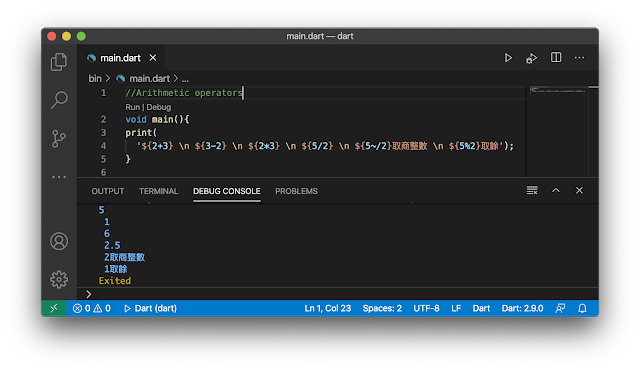
☝ + - * / ~/ % ☝++ -- ☝*= ☝is 與 as ☝? :  = if else  ☝?? 第一個? 是判斷是否為null, 第2個 ? 是if運算子,如果是null就執行 ☝??= 判斷如果值為null,再給值,要不然就照舊。 ☝.. 很像this. 用呼叫其物件,第一個.表物件本身;而第二個,指向其屬性/變數/方法。 phone.number 等於 phone() ..number ☝?. 第一個?表其物件value允許為null,以避免例外發生;而第二個,指向其屬性/變數/方法。 phone?.number //可允許phone沒有值。

Dart - Function

Image
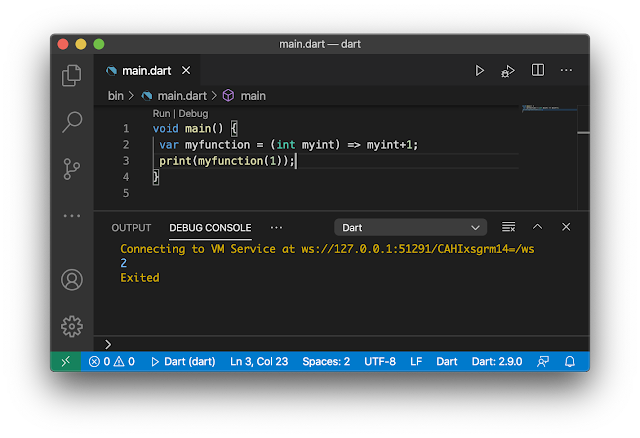
☝ =>    相當於 { return ...}用於 F unction 只有一行程式碼 var myFunction= myFunction(x){ return x+1}; var myFunciton = (x) => x +1;  int myFunction(x) => x + 1; * => 只有運算式(由運算元及運算子組成)可以用,而statement陳述語法是不可以的哦! ☝ 匿名函數(又稱Closure): 將一行程式當成變數或參數。 ☝ 命名參數 有名字,呼叫時得先輸入名字: 然後值。易讀性高。 呼叫參數時: myFunction(param1 : Value ); 定義參數時 myFunction( { type  param1, type param2 ... } ) {...} ☝參數前置入 @required,表示為 強制性的參數,使用時必須給值。 像是Scrollbar如果參數沒有指定child就會出現錯誤: const Scrollbar({Key key, @required Widget child}) ; ☝Positinal 參數。使用方法時不需先輸入參數名,就對號入座。這個方法比較不易辨讀。 String myFunction (type param1, type param2, [ type param3]) {...} myFunction(value1, value2, value3); ☝top-level :程式進入點。如main() ☝lexical scope   一函數裡的函數/變數,內層不被外層使用,外層可被內層使用。 好比主管(外層),員工(內層);員工不可跨部門,而主管可以。 ☝lexical closure 是函數物件。其它函數呼叫使用能夠存取參數所植入的值。 ☝物件 比較  : 第一個建立類別物件與第二個建立類別為不同的實體物件。 ☝ 沒給值,預設return都會是null
Dart syntax - ${},r,List,Map, ... & ...?

Image
☝${ expression } ☝raw ☝list 也就是所謂的array ☝... 與  ...?  之插入功能 spread operator  ( ... ) and the  null-aware spread operator  ( ...? ), which provide a concise way to insert multiple elements into a collection. ☝list 之for / if之應用 ☝Map 字典-有索引值的陣列

Dart SDK install VScode

Image
1. 下載Dart SDK 後解壓 2. 我還是放跟flutter一樣 /usr/local的位置,建置環境變數$PATH 完成! 可以Hello world測試一下 測試結果